From the community
Ice Age 3 - viel spass mit den sauriern
Ice Age 3 - viel spass mit den sauriern
 Video
Ice Age 3 - viel spass mit den sauriern
Video
Isabelle Pierre. Le temps est bon. Das Wetter ist gut
 Video
Donald Lautrec - Un jour un jour . Hey Friend Say Friend
 Video
Donald Lautrec - Loin dans ma campagne, Tief in meiner Kampagne
 Video
NATHALIE- BECAUD,Fantastisch dieser Sänger
 Video
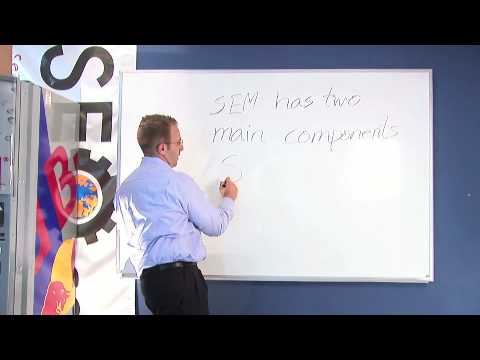
This component of organic search engine optimization we going to focus on web copy threading. Now when I am speaking about web copy threading- I am talking about the actual content on your web page. And how you are going to take the web copy and thread it to other relevant content on individual pages throughout the site. For example- If I am talking about Search Engine Marketing services- I am going to say “SEM” has two main components- SEO and Sponsored Search. Each of these two areas here, if we look at this main page which is talking about SEM, we have two main sub topics- we have SEO and sponsored search. So you will want to take your word SEO and your word Sponsored Search and hyperlink them to pages with relevant content to SEO. So here is your SEO page and your word SEO, search engine optimization, hyperlinks to the page about SEO. Then your sponsored search word is going to the actual page about sponsored search. So you lead into sponsored search keyword and go into a page about sponsored search. So to recap, when looking at your web copy threading and you’re on a page about SEM- Search Engine Marketing- the two main pages that you’re threading out to are SEO – Search engine optimization, a component of SEM, and sponsored search – also known as cost- per-click or pay-per-click marketing.
 Video
An offsite search engine optimization technique is “blog syndication.” What you are going to do is place your content information on various blogs out on the web. Your blogs feed into different feeds, such as real simple syndication or RSS feeds, and also directly into certain search engines. Some of the common blogs that you’ll find out there that are more popular are going to be WordPress, Blogger and TypePad, to name a few. There are many blog areas to place your content and information. But there really is not much harm in placing your content on all three, WordPress, Blogger and TypePad, because once again, all this content is feeding different sources on the web. So when it comes to publishing a blog, if you are able to, place it on multiple blog syndications, so it goes and gets syndicated out to the world and the world can find your relevant content on your offsite blogs. This is a relevant area to place information for effective off-site search engine optimization.
 Video
"Now for organic search engine optimization, we are going to discuss “Onsite Content Changes.” Now, when we are looking at a webpage in particular we are going to back to www.seo.cc and we are going to use, as an example, the search engine optimization page. Search – I’m going to write out my keywords that I want the search engine to detect and hyphen them out - optimization.html. Now, on the page itself for the content assignment, you’re going to want to have a few areas where we make sure that within the content we’re seeing the words “search engine optimization.” In your Meta Tags, you’re going to want to make sure that your title is going to read “search engine optimization,” or at least have the keyword embedded. The title is what’s going to be at the top of the web browser when the page pulls up. It’s going to be along the top of the toolbar, there. It’s not actually going to be on the page itself. So, to keep it simple, I’m just going to put the acronym “SEO”, which stands for search engine optimization. I’m going to close my title tag, and the sign that this page is about search engine optimization, or SEO. Now, when we go into the actual content of the page itself, we’re going to want to make sure that we have an “H-Type” heading, it can be H1, it can be an H2, you can look up and assign whichever graphically fits into your page itself, but you want there to be header language so when the search engine reads your website, it reads from the meta tags down into the header information of the page itself. Now when you’re looking at the actual onsite content, for example, now we have our header tag which once again will reflect SEO, there are different components of SEO that people might actually be searching for and they can actually use to find your site. So, if somebody wanted to, for example, read about an SEO ranking report, you’d actually want to place content that says “SEO Ranking Report” and make this content, “SEO Ranking Report,” a hyperlink or hotlink and assign it to a page that covers the topic of SEO Ranking Report. Now, what happens is, when the search engine actually clicks on this keyword, “SEO Ranking Report” it understands the page that it’s being lead into is actually going to talk about an SEO Ranking Report. Now the computer has actually built in the relevancy from here to there. Now back into how your content should be reflected for the word “Search Engine Optimization”, you’ll want to keep what is called the “keyword density” quite light, as to how often your speaking about SEO, or search engine optimization. For example if you have 500 words on the site itself, you’ll want to keep it at approximately 2 ½% to 5 %, it depends on how many keywords you would like to actually place on the page. But, you don’t want the reader to actually identify that you are placing the words for these purposes. So you’ll take the 500, if this is the total number of words on the page, and you’ll assign, for example 5 %, which would actually be 25 words, which could allow you to mention search engine optimization or SEO, anywhere from, let’s say 5 to 10 times. Then you’ll have a page focused on the keyword of SEO, search engine optimization, built relevantly, leading into another relevant topic to search engine optimization and SEO, which is your SEO ranking report, which leads into another page. The deeper that you build your pages beyond the initial page of search engine optimization, the better your chances of achieving higher organic rankings.
 Video
A great offsite search engine optimization technique that we are going to talk about now is called PR (Press Release) Syndication. There are many websites out there to syndicate a Press Release out on the web. There is many ways to syndicate out to these press release sources. There are approximately unlimited press release sites out there, but I would say there is about 80 -100 that you can look at that are highly relevant. Then there is also PR newswire, which is where a lot of traditional media in some of the larger websites go to actually pull their Information from. So if I was looking at the PR syndication, I would want to indicate what category my press release is going to fit into. In this example we are going to say “health” which is my category, then we are going to want to assign an author; I will use myself, “Zach Hoffman”. These press release sites also like to make it search engine friendly, so I am going to add a keyword, which for example, if we are talking about the Defeating Diabetes website URL, I am going to use word “diabetes”. Then if the article is about “Type 1” for example, which it is, I’m going to add the keyword “Type 1 Diabetes”. Then it’s going to ask you for your URL website address, so you place it at the bottom here. Now what’s going to happen is that some of these press release sites, it will allow you to actually hyperlink the content that is relevant to the particular topic straight back into your website, or it will just straight index the entire article in this press release.
 Video
So we are going to take www.website.com/blog. Now on this blog page the reason that it’s relevant to the search engines is that all blog information will have Date and Time assignment. Now when a search engines identifies a blog on a website it points to it as a relevant area to come for updated information that has a date and time assigned to itself. Now when you are looking at a blog you can also place content on the blog that’s relevant to information on your website itself or websites offsite. Either way you’ll want to take your blog and do content optimization and internal linking. For example- If I have a blog which speaks to www.DefeatingDiabetes.com and I published an article in particular about “Type 1 Diabetes” I am going to actually want to take my keyword here “Type 1 Diabetes” and assign it to a page particular to this topic that you have here. Now, you have time stamped content that points right back into your website about the topic “Type 1 Diabetes” which brings relevant information that is updated, to the search engine index.
 Video
Header tags. Header tags are very high up on the hierarchy on what search engines are looking for when they actually go to your site. They are going to start at your Meta Tags to understand about your page. So you have up here, number 1, your meta tags, and it’s going to quickly lead you into number 2, which is your header tags. Now when it comes to header tag assignments, you’re going to want to make sure that your header tag is aesthetic looking and fits into the design of your website. There is many header tags that you can actually position, but I’m just going to go through the first three and you can have h1, h2 and h3. And for simplicity I’m going to use the word once again, “SEO,” so if we place SEO, then were going to actually close the command, h1. This would be an h1 header tag for the word “SEO” and bolded out to the computer search engine robot once it’s reading into the actual content of your page. So you’re going to have the h1 header and then lead into actual body of the content of your webpage itself. This is the component of organic search engine optimization that is done onsite.
 Video
Off-Site optimization technique using classified ads to point website traffic back into your site itself. There are two main sites out there in the classified web world that really speak highly to Google and build a lot of relevance to Google and Yahoo, as well and also MSN/Bing as they move to a more dynamic platform. These two directory/classified websites, the reason I say directory is all the information on the classified websites are very well organized. You have Craigslist and then you also have Backpage. The strong components about these websites is that you can check a website called Alexa.com and see that Craigslist is in the top 25 websites in the world, which means that if consumers are going to Craigslist at such a high rate that it makes the top 25 list, then its sure got to be a great place for the search engines to go for information. . Then there’s Backpage, which we see pop up in the Yahoo index very frequently, and this will also index you and case you within the organic search engine optimization rankings. Now when you write these particular ads, what you’ll want to do is assign a physical address in the ad if you have a physical location. This helps build your relevancy in the maps area of the search engines and then you’ll also want to hyperlink content within your classified ad relevant to your business. For example, we’re a Fort Lauderdale based SEO firm, so I would actually hyperlink content that said “Fort Lauderdale SEO” and point it to “www.seo.cc” and this will build relevancy toward Fort Lauderdale SEO and then ideally we will place our physical address, 4 West Las Olas Blvd, Fort Lauderdale, Florida 33301, giving the search engines even more rich data information to place it back into their indexes just by three simple postings on Craigslist and Backpage websites. Very well organized classified websites for valuable backlinks.
 Video
When it comes to offsite optimization, we are going to look at directory submissions. Directories work in a hierarchical structure. We are going to look at placing the website ‘DefeatingDiabetes.com’ within a directory. Now, the directories are great places to go because it’s a source that the major search engines will actually go to and pull information because the information at this point is already organized in a directory. Now, some of the directories will actually start at a point of geographically locating where a website is positioned. So in this case, we would want to say “US,” then we would go into a sub-category, which in this case would be “Health.” Then from “Health” we would want to go into the next category, which at this point, it can be many different areas but in regards to DefeatingDiabeties.com, we are speaking about a condition; diabetes. So we would organize it under “Conditions” and then from there it’s dependant on how micro the category goes within the directory. It could easily stop at “Conditions” or can actually carry forward into more sub-categories. In this case it might have to do with blood or sugar levels. So, we can actually say here if the category section would be “Blood Sugar.” Now we have a very very relevant organization of moving from a US-based website in the “Health” category that’s an actual condition of your health, which has to do with your blood sugar, and it reflects you back to DefeatingDiabetes.com. What you have done is manually placed the website DefeatingDiabetes.com within the category of “Health Conditions” reflecting on blood sugar. This is a great method for creating backlinks to your site.
 Video
Now we are going to look at your website images. The images of your website should be placed in the correct folder to assign them to the search engines so they pick up in Google Images, Google Pictures, Yahoo Images, MSN image areas. So, you want make sure that your files are organized appropriately. Going to go back to the SEO.cc example, let’s just say “www.seo.cc” and I’m placing the logo. I’m going to put “images/seologo.gif.” Now, the key here is that I’ve placed for the search engines to go directly into the images folder. Now, for the seologo.gif, what we are actually going to do is assign an alt tag so the search engine can read the image or place words in place of the image in case the image does not appear. The alt tag will be written as follows, and at the end of the image source you can put “alt=seo logo.” This is going to allow you when you rollover with the mouse, for “seo logo” to actually appear and for it to be relevant and linked to “seo logo” and when somebody is searching on the search engine itself, you’ll have the keywords embedded in both the file name and also the alt tag itself. This is the proper way to organize your images and also be sure to assign names to your images so there not just placed as “seopic12.gif.” You would actually want it to be assigned a proper name. You also want an alt tag that reflects the file name.
 Video
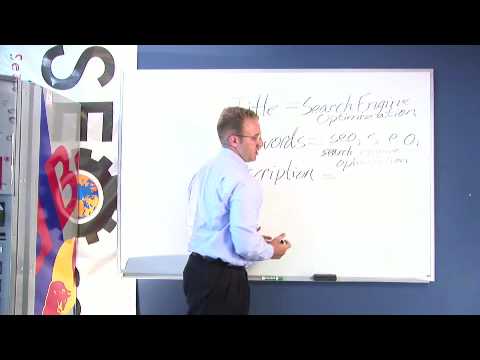
Now for organic search engine optimization, we are going to cover Meta Tag Authoring. For Meta Tag Authoring, you’re going to have 3 major sections – your title, your keyword, and your description. Now, you are going to want to spend time writing each and you will want to keep them very concise and focused on the theme of the actual page itself. Now when we’re looking at the title, I am going to back to the Search Engine Optimization example so, for title, I am going to use the keyword “Search Engine Optimization.” Everybody has their own style of SEO, but I prefer to use 3 to 5 keywords per page assignment. So, when I’m going to assign words that have to do search engine optimization, I am going to use the keyword SEO, all lower case, and I am actually going to use SEO with spaces in between in it just in case somebody types a period (.) or spaces, and I am going to assign the keyword search engine optimization. Now I’m writing my keywords, I’m keeping everything lower case because a lot of people most commonly type in words on the search engine in lower case and the search engine actually reflects how somebody is searching to the words it’s actually going to match-up with, in a keyword base. So, you wanna make sure keep your characters in all lower case. You want there to be a logical pattern between your title, your keywords, and your description. So, you are going to actually assign a description which is going to be the description that the search engine is going to list below your website, most likely, unless it actually pulls content from your page, right below the listing of the website itself. So you’ll want to write something that has keywords in it and say, “Search Engine Optimization, commonly known as SEO, allows you to list on the search engines”. Now what we did here with the description is we hit upon a few specific keywords, so that we’re not placing too many keywords in the Meta tags, but you can see the actual logical pattern going from your title into your keywords and then from keywords into description. As you can see, the word SEO appearing in your keyword assignment reflects down to SEO in your description. Then you have the keyword, Search Engine Optimization here in your description, linking to the keyword with-in your Meta tag. You can see there is an actual logical pattern going from your title, your keywords, and then into your description. If you want to actually assign numbers to it or letters to help you organize it, you can say (1) is SEO (2) search engine optimization. Play with it however you like. Like I said, everybody has their own SEO techniques.
 Video
In order to have an effective search engine marketing campaign, we highly recommend you install an analytics software. A great free tool available on the web is called Google Analytics. You can find Google Analytics at www.google.com/analytics. Here you will put in your information, including email address, your website address (your URL) and then it will actually give you the code with directions as to how to install the analytics code. Once you have installed the analytics code, it is important that you go into “edit settings” and establish your Google goal points. This may also be analytics settings. You will want to set your points as G1, G2, G3, G4 and indentify different goal areas. If you have more goal points than 4 on your website, you can actually install a second Google Analytics code as well as the first one and have 2 Google analytics profiles, allowing you 8 specific goal points. Now some of the key variables that you’re going to see on your Google analytics accounts are going to be “visitors”, which is the number of people that came to your website, you’re going to have, pages per visit – which reflects how many pages somebody had looked at on your website itself. You are also going to have bounce rate, which determines how many people showed up at your web site and left on the actual front page or only looked at one particular page on the site itself. You are also going to have the percent of new visitors actually coming to your website, and you’re also going to have “average time on site”, which is amount of time people are spending on your site in particular. You can even see down to a page where people are spending time on your site. Google analytics is a very deep program and there is a lot of depth as to how to actually look at the information about your website. You’ll also be able to see the different traffic sources driving visitors to your website which could be Google organic, Google CPC, Yahoo organic, Yahoo CPC, or your blog for example, a Craigslist posting, etc. There are many different areas that can draw in traffic sources to your website that Google analytics will actually be able to show you. The first step, once again, is to go to this website here (www.google.com/analytics) and follow the directions to install Google analytics. So you can see how people behave and interact on your website itself.
 Video
You have to see this to believe it!
 Video
Dude Deadlifts 329 Pounds Then Passes Out
 Video
Cat Attacks Pit Bull,Cat Attacks Pit Bull
 Video
Mädchen braucht Nachhilfe.. in Karate =)
 Video
Found something worth sharing? Post a link, choose a clear title and join the conversation.
Share a video or link →Your account →Forgot your password?Found a video, picture or story? Add its link.
You can review the title and description in the next step.From the last 21 days. Metrics show these finds’ lifetime totals.
 Video01Fears That the War in Iran Will Escalate After the Midterm ElectionsJRE Clips
 Video02Knowledge / TechnologyGordon Ramsay Can't Deal With This "Fresh Frozen" Food | Full Episode | Kitchen NightmaresGordon Ramsay
 Video03Emergency Helicopter Airlifts Trapped Horse Out of Marsh || ViralHogViralHog
 Video04OTC always makes time for some selfies 🤳WWE
 Video05LaMelo when asked about the last time he dunked 😅Bleacher Report
DISCOVERY · HIGHLIGHTS
Published since 01.11.2026 · Metrics show these posts’ lifetime totals.
New finds and reactions. Each post appears only once.
VideoNewly sharedFears That the War in Iran Will Escalate After the Midterm ElectionsJRE ClipsVideoNewly sharedGordon Ramsay Can't Deal With This "Fresh Frozen" Food | Full Episode | Kitchen NightmaresGordon RamsayVideoNewly sharedEmergency Helicopter Airlifts Trapped Horse Out of Marsh || ViralHogViralHogVideoNewly sharedOTC always makes time for some selfies 🤳WWEVideoNewly sharedLaMelo when asked about the last time he dunked 😅Bleacher Report