From the community
Hello
Hello song by Lionel Richie
 Video
Hello song by Lionel Richie
Video
Keane Everybodys' changing
 Video
Police Sketch Fail
 Video
Wiedersehen mit Tao Bai Bai... HD Qualität...
 Video
Pia & Tabea - Morgen kommt der Weihnachtsmann
 Video
Micha Moor - Tonight (Klik Klak Remix)
 Video
Kelly Family Key to my heart,musik
 Video
Beppo Pohlman privat zu Gast in der Galeria KiK (Karl im Kiez) Die "Galeria KiK" mit derorivaten Lounge Bar ist eine private Einrichtung vom Paten (Karl im Kiez) in Berlin
 Video
A vid about a date gone wrong. starring the one and only shananay
 Video
Aus der ersten SWR-Langfolge des Meisters vom 31.12.2009
 Video
Very funny accident with a football and a bottle of rum
 Video
Talented guy plays wonderful guitar in the snow! Must see!
 Video
stupid guy jumps from the building
 Video
Abdurrahman Onül - Medine İlahisi
 Video
Abdurrahman Onül - AYDIN BAŞLAYALIM ZİKİRE
 Video
Stanfour - Wishing You Well,Stanfour - Wishing You Well
 Video
In Gedenken an die Opfer des Amoklaufes in Winnenden. Wir möchten auf diesem Wege allen Angehörigen unser Mitgefühl ausdrücken..... Uns fehlen einfach die Worte um zu beschreiben was wir denken und fühlen, wir möchten Anteil nehmen und allen Opfern gedenken.
 Video
"Now for organic search engine optimization, we are going to discuss “Onsite Content Changes.” Now, when we are looking at a webpage in particular we are going to back to www.seo.cc and we are going to use, as an example, the search engine optimization page. Search – I’m going to write out my keywords that I want the search engine to detect and hyphen them out - optimization.html. Now, on the page itself for the content assignment, you’re going to want to have a few areas where we make sure that within the content we’re seeing the words “search engine optimization.” In your Meta Tags, you’re going to want to make sure that your title is going to read “search engine optimization,” or at least have the keyword embedded. The title is what’s going to be at the top of the web browser when the page pulls up. It’s going to be along the top of the toolbar, there. It’s not actually going to be on the page itself. So, to keep it simple, I’m just going to put the acronym “SEO”, which stands for search engine optimization. I’m going to close my title tag, and the sign that this page is about search engine optimization, or SEO. Now, when we go into the actual content of the page itself, we’re going to want to make sure that we have an “H-Type” heading, it can be H1, it can be an H2, you can look up and assign whichever graphically fits into your page itself, but you want there to be header language so when the search engine reads your website, it reads from the meta tags down into the header information of the page itself. Now when you’re looking at the actual onsite content, for example, now we have our header tag which once again will reflect SEO, there are different components of SEO that people might actually be searching for and they can actually use to find your site. So, if somebody wanted to, for example, read about an SEO ranking report, you’d actually want to place content that says “SEO Ranking Report” and make this content, “SEO Ranking Report,” a hyperlink or hotlink and assign it to a page that covers the topic of SEO Ranking Report. Now, what happens is, when the search engine actually clicks on this keyword, “SEO Ranking Report” it understands the page that it’s being lead into is actually going to talk about an SEO Ranking Report. Now the computer has actually built in the relevancy from here to there. Now back into how your content should be reflected for the word “Search Engine Optimization”, you’ll want to keep what is called the “keyword density” quite light, as to how often your speaking about SEO, or search engine optimization. For example if you have 500 words on the site itself, you’ll want to keep it at approximately 2 ½% to 5 %, it depends on how many keywords you would like to actually place on the page. But, you don’t want the reader to actually identify that you are placing the words for these purposes. So you’ll take the 500, if this is the total number of words on the page, and you’ll assign, for example 5 %, which would actually be 25 words, which could allow you to mention search engine optimization or SEO, anywhere from, let’s say 5 to 10 times. Then you’ll have a page focused on the keyword of SEO, search engine optimization, built relevantly, leading into another relevant topic to search engine optimization and SEO, which is your SEO ranking report, which leads into another page. The deeper that you build your pages beyond the initial page of search engine optimization, the better your chances of achieving higher organic rankings.
 Video
Now we are going to look at your website images. The images of your website should be placed in the correct folder to assign them to the search engines so they pick up in Google Images, Google Pictures, Yahoo Images, MSN image areas. So, you want make sure that your files are organized appropriately. Going to go back to the SEO.cc example, let’s just say “www.seo.cc” and I’m placing the logo. I’m going to put “images/seologo.gif.” Now, the key here is that I’ve placed for the search engines to go directly into the images folder. Now, for the seologo.gif, what we are actually going to do is assign an alt tag so the search engine can read the image or place words in place of the image in case the image does not appear. The alt tag will be written as follows, and at the end of the image source you can put “alt=seo logo.” This is going to allow you when you rollover with the mouse, for “seo logo” to actually appear and for it to be relevant and linked to “seo logo” and when somebody is searching on the search engine itself, you’ll have the keywords embedded in both the file name and also the alt tag itself. This is the proper way to organize your images and also be sure to assign names to your images so there not just placed as “seopic12.gif.” You would actually want it to be assigned a proper name. You also want an alt tag that reflects the file name.
 Video
An offsite search engine optimization technique is “blog syndication.” What you are going to do is place your content information on various blogs out on the web. Your blogs feed into different feeds, such as real simple syndication or RSS feeds, and also directly into certain search engines. Some of the common blogs that you’ll find out there that are more popular are going to be WordPress, Blogger and TypePad, to name a few. There are many blog areas to place your content and information. But there really is not much harm in placing your content on all three, WordPress, Blogger and TypePad, because once again, all this content is feeding different sources on the web. So when it comes to publishing a blog, if you are able to, place it on multiple blog syndications, so it goes and gets syndicated out to the world and the world can find your relevant content on your offsite blogs. This is a relevant area to place information for effective off-site search engine optimization.
 Video
Found something worth sharing? Post a link, choose a clear title and join the conversation.
Share a video or link →Your account →Forgot your password?Found a video, picture or story? Add its link.
You can review the title and description in the next step.From the last 21 days. Metrics show these finds’ lifetime totals.
 Video01KnowledgeDeutschlands verbotene InselSimplicissimus
 Video02Preeti Hugs Aarav | Shayad Yahi Hai PyaarColors TV
 Video03सरकार के फाइल मिसिंग केस में #Karthi को मिला अहम सुराग | Watch #Sardar Only On Goldmines PlayGoldmines
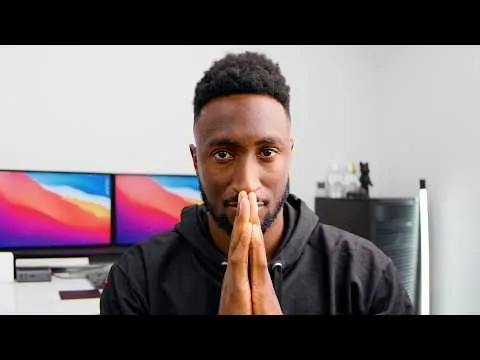 Video04KnowledgeCan You Trust MKBHD?Marques Brownlee
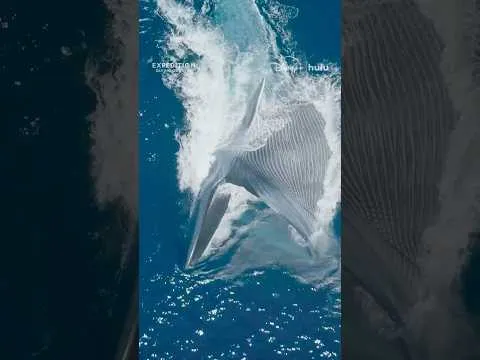 Video05KnowledgeMeet the giants of the Pacific #ExpeditionSavingOurSeas #PerpetualPlanetNational Geographic
DISCOVERY · HIGHLIGHTS
Published since 01.11.2026 · Metrics show these posts’ lifetime totals.
New finds and reactions. Each post appears only once.
VideoNewly sharedPreeti Hugs Aarav | Shayad Yahi Hai PyaarColors TVVideoNewly sharedसरकार के फाइल मिसिंग केस में #Karthi को मिला अहम सुराग | Watch #Sardar Only On Goldmines PlayGoldminesVideoNewly sharedCan You Trust MKBHD?Marques BrownleeVideoNewly sharedMeet the giants of the Pacific #ExpeditionSavingOurSeas #PerpetualPlanetNational Geographic VideoNewly sharedLa Postal Written In The Dance Episode 16Daddy Yankee